
Quick Answer:
You do NOT need an expensive studio to start YouTube in 2026, Broo.
A good beginner setup under $300 with proper lighting, audio, and a smartphone can already produce high-quality videos.
Honestly? Most creators overcomplicate gear
There is a weird myth on YouTube.
People think:
“I’ll start when I can afford expensive gear.”
A fancy camera.
A premium studio.
Professional lighting.
But here is the truth:
Bad content with expensive gear still performs badly.
Meanwhile,
Some creators grow using:
- A smartphone
- A simple mic
- Basic lighting
The difference?
They optimize the essentials.
So if you want a smart beginner YouTube setup without wasting money…
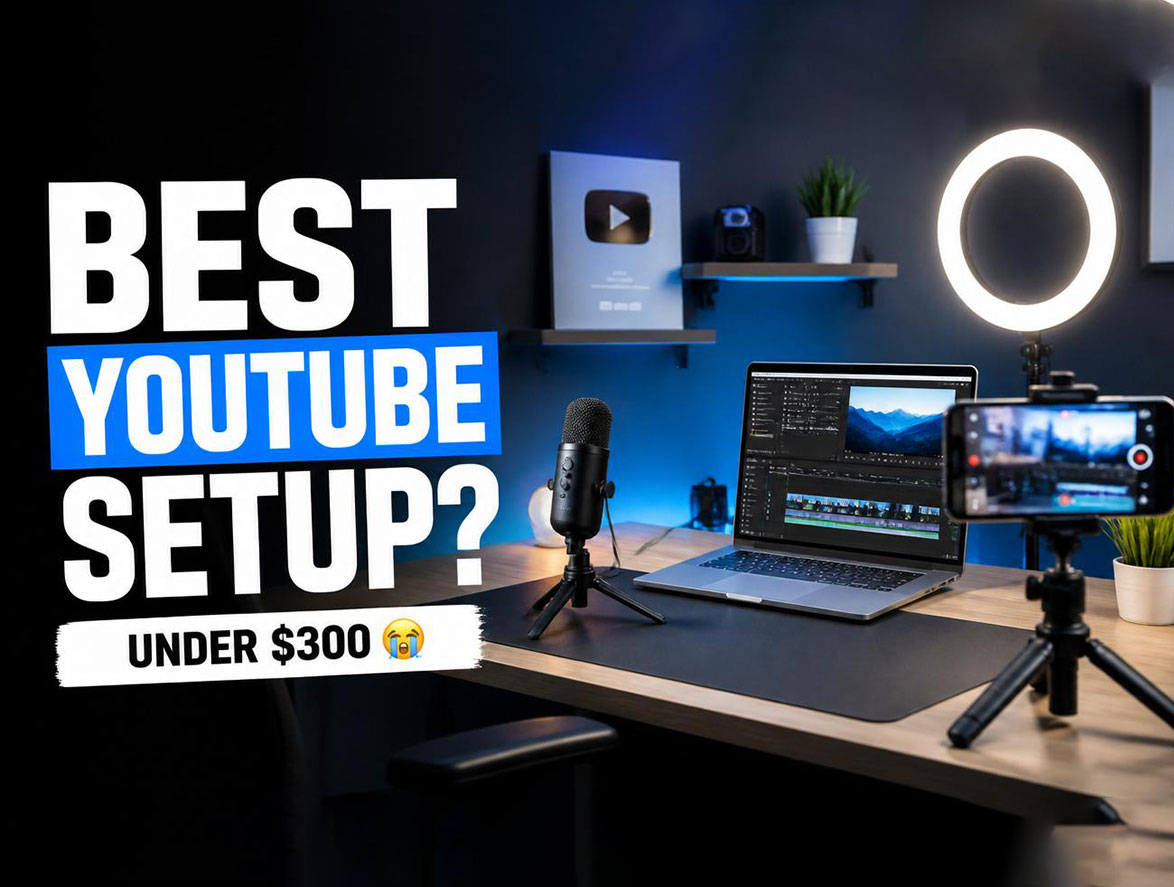
Here is a creator-friendly setup under $300.
Quick Setup Overview
1. Camera: Use Your Smartphone First
Here is something nobody says enough:
Your phone is probably good enough.
Most modern phones shoot:
- 1080p
- 4K video
- Good stabilization
Creator Tip:
Spend money on audio and lighting before buying a camera.
Recommended beginner camera later:
Sony ZV-E10
Perfect for creators upgrading.
2. Microphone: Audio Matters More Than Video
People forgive bad video.
Bad audio?
Instant click away
Best beginner options:
- BOYA BY-M1
- FIFINE USB Mic
- Rode VideoMicro
Biggest Mistake:
Ignoring audio quality.
3. Lighting: The Secret Upgrade
Good lighting makes cheap cameras look expensive.
Bad lighting makes expensive cameras look cheap.
Best beginner lights:
- Neewer LED Light
- Small ring light
- Softbox lighting kit
Need visual inspiration?
Check the creator studio setups on Descript Creator Studio Guide .
But wait…
Most beginners forget one important thing.
4. Tripod: Stop Shaky Videos
Nothing screams “beginner” like shaky footage.
A budget tripod instantly improves quality.
Good beginner options:
- Amazon Basics Tripod
- JOBY GorillaPod
5. Editing Software
You do NOT need expensive editing tools.
Great beginner tools:
- CapCut
- DaVinci Resolve
- Descript
Reality Check:
Gear matters less than consistency.
Recommended Beginner Setup Under $300
- Phone Camera → $0
- BOYA Mic → ~$20
- Ring Light → ~$40
- Tripod → ~$30
- Editing App → Free
Total:
Way under $300
Need better creator branding?
Explore SSCreation Creator Services
Read Next
- 7 Thumbnail Psychology Tricks Big Creators Use
- Why Your YouTube Channel Is Not Growing
- 7 Best AI Tools for Content Creators
Frequently Asked Questions
Can I start YouTube with a phone?
Yes. Many creators begin with smartphones and upgrade later.
What matters most for YouTube quality?
Audio and lighting often matter more than expensive cameras.
Is $300 enough for a YouTube setup?
Yes. A smart beginner setup can easily fit under $300.
Final Thoughts
Waiting for perfect gear?
That is usually procrastination.
Start with:
good lighting + clean audio + consistency.
Need Better Creator Branding?
Need help? We are here for you. SSCreation helps creators grow through thumbnails, branding, YouTube SEO, and premium creator visuals. Grow With SSCreation